
This can only be done if you have Administrator Privileges.
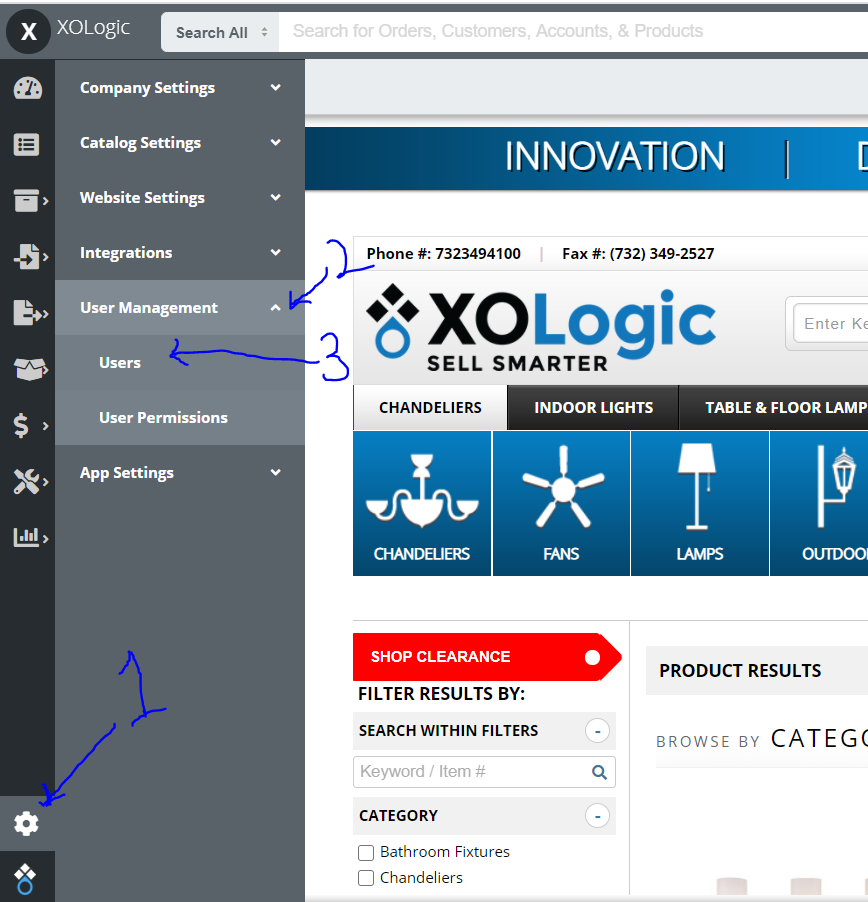
Go to Settings -> User Management -> Users
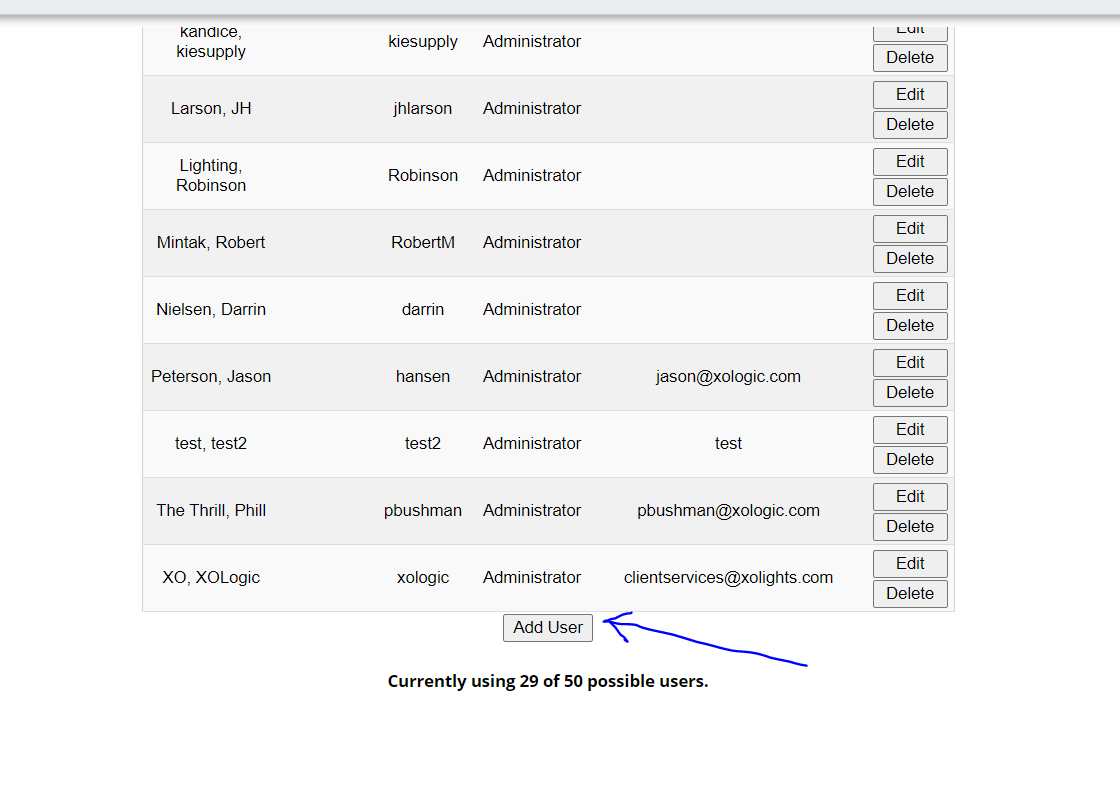
Once in the Users page, Click on the "Add User" button at the bottom of your user list.
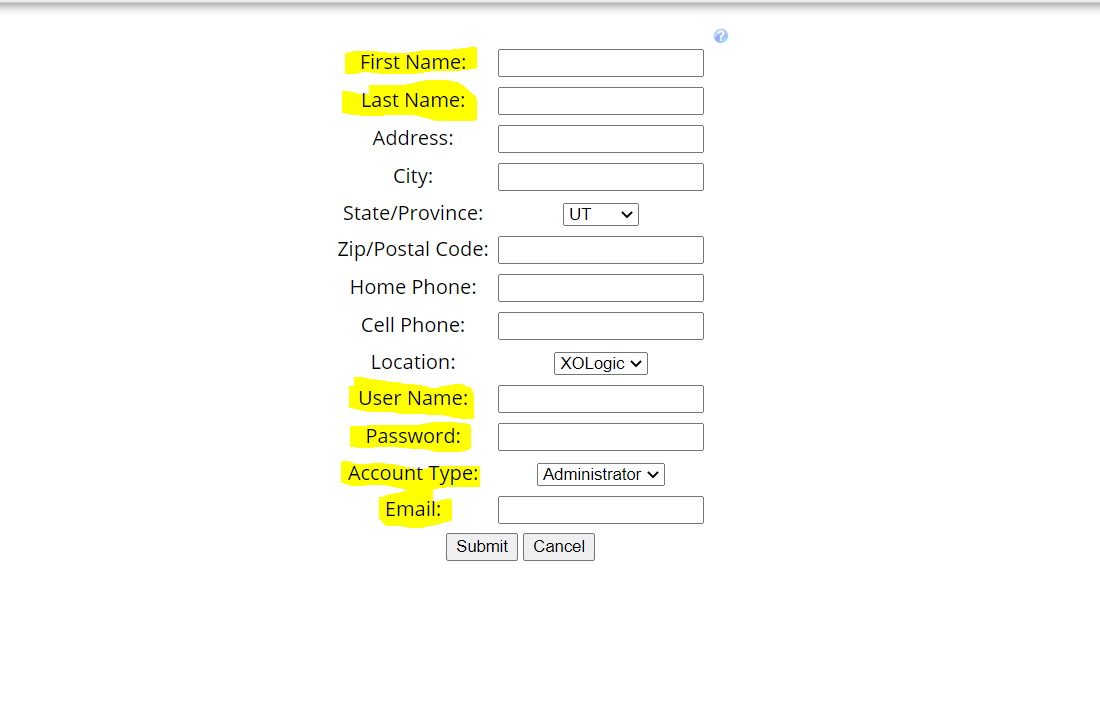
Enter in the information for the new Admin/Salesrep. The Highlighted fields are required.
*****IMPORTANT******
Make sure that you select the correct Account Type (Administrator or Salesrep). This will affect the level of access they will get once logged in.
Click "Submit" to create the new account.
Comments
0 comments
Please sign in to leave a comment.