
1. Go to Settings > Catalog and Pricing > Markups
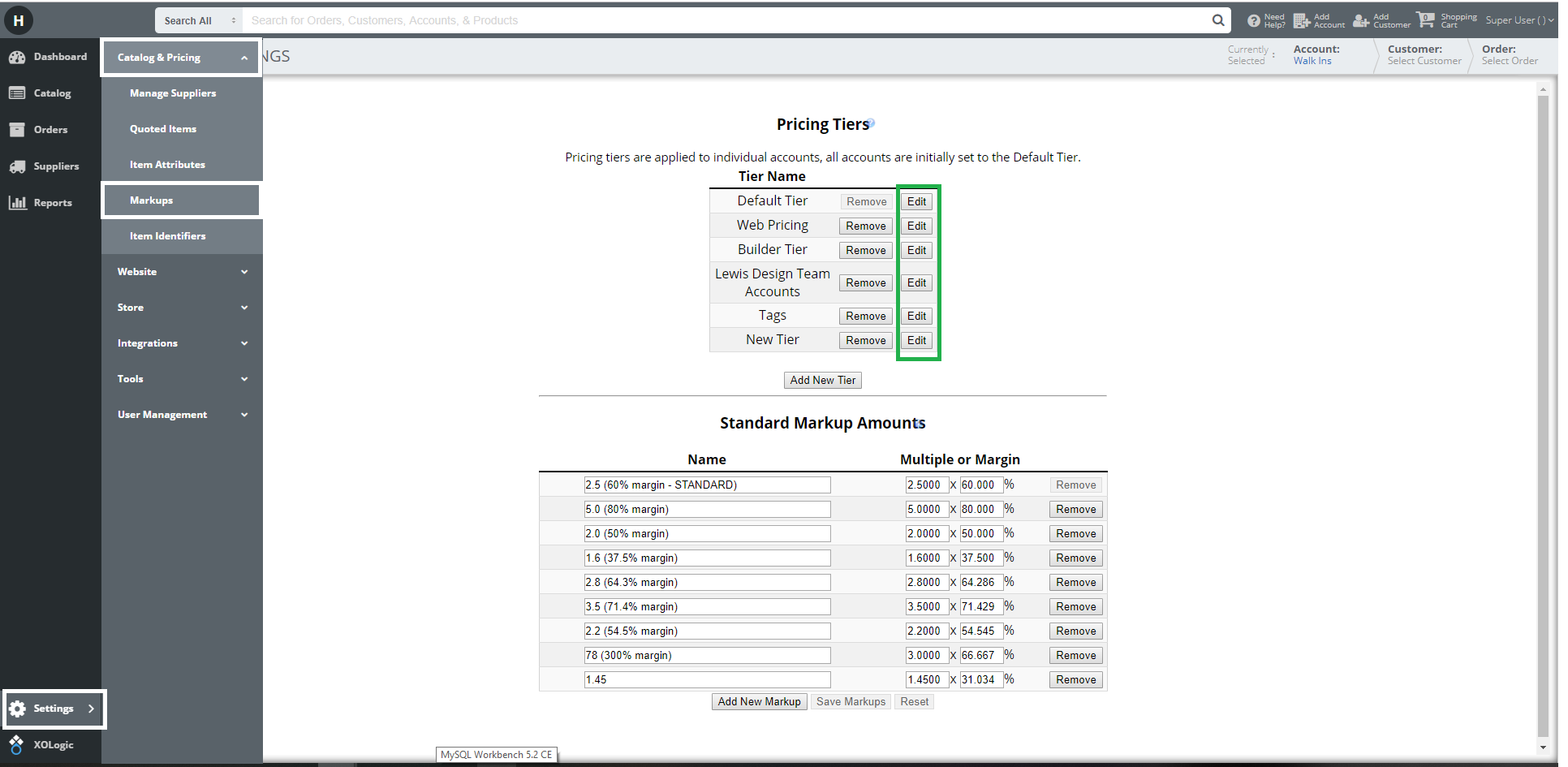
Once here you will need to make the following changes to each Tier you want the discount applied to.
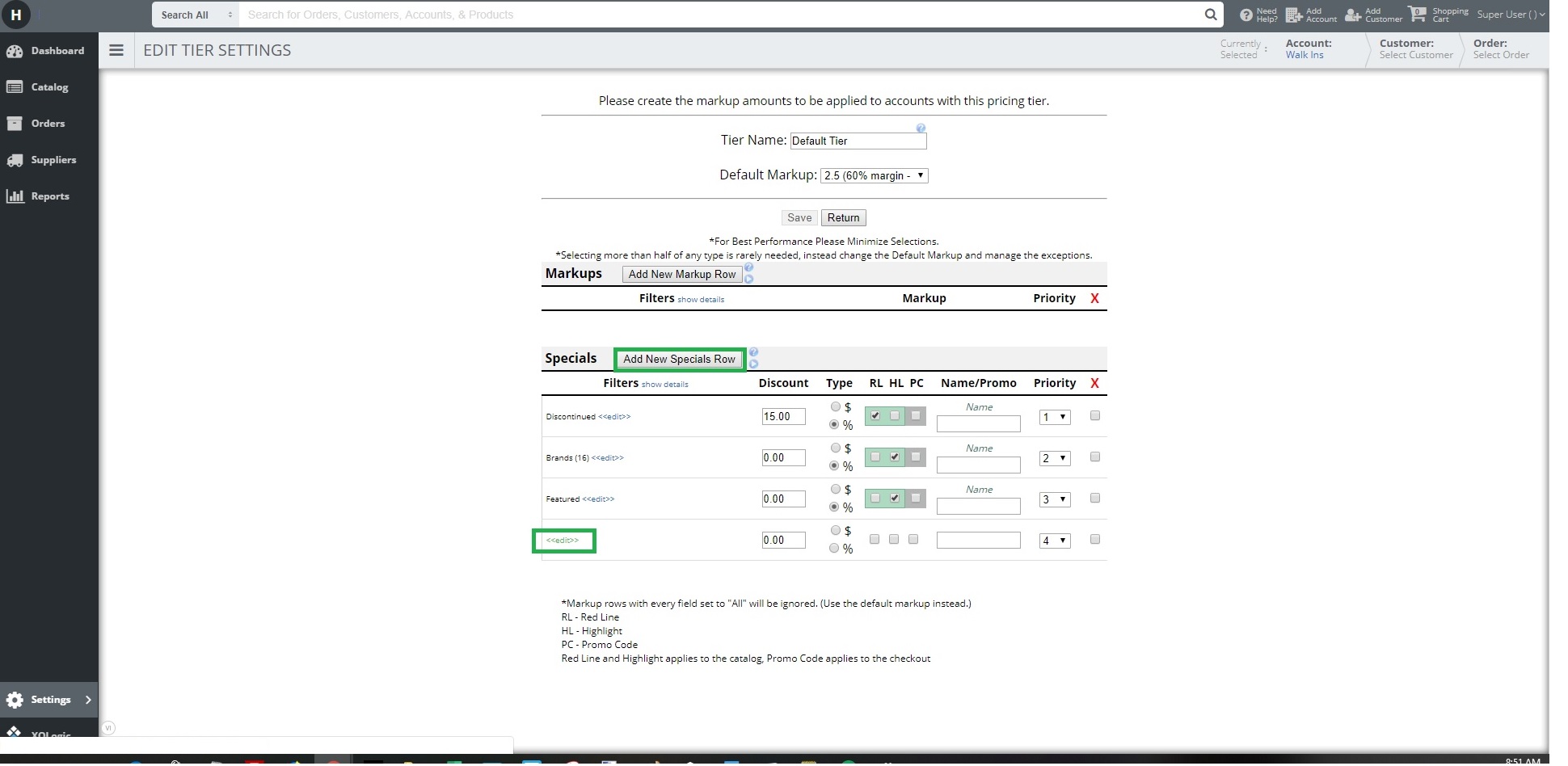
2. Select Edit > Add New Specials Row > Edit
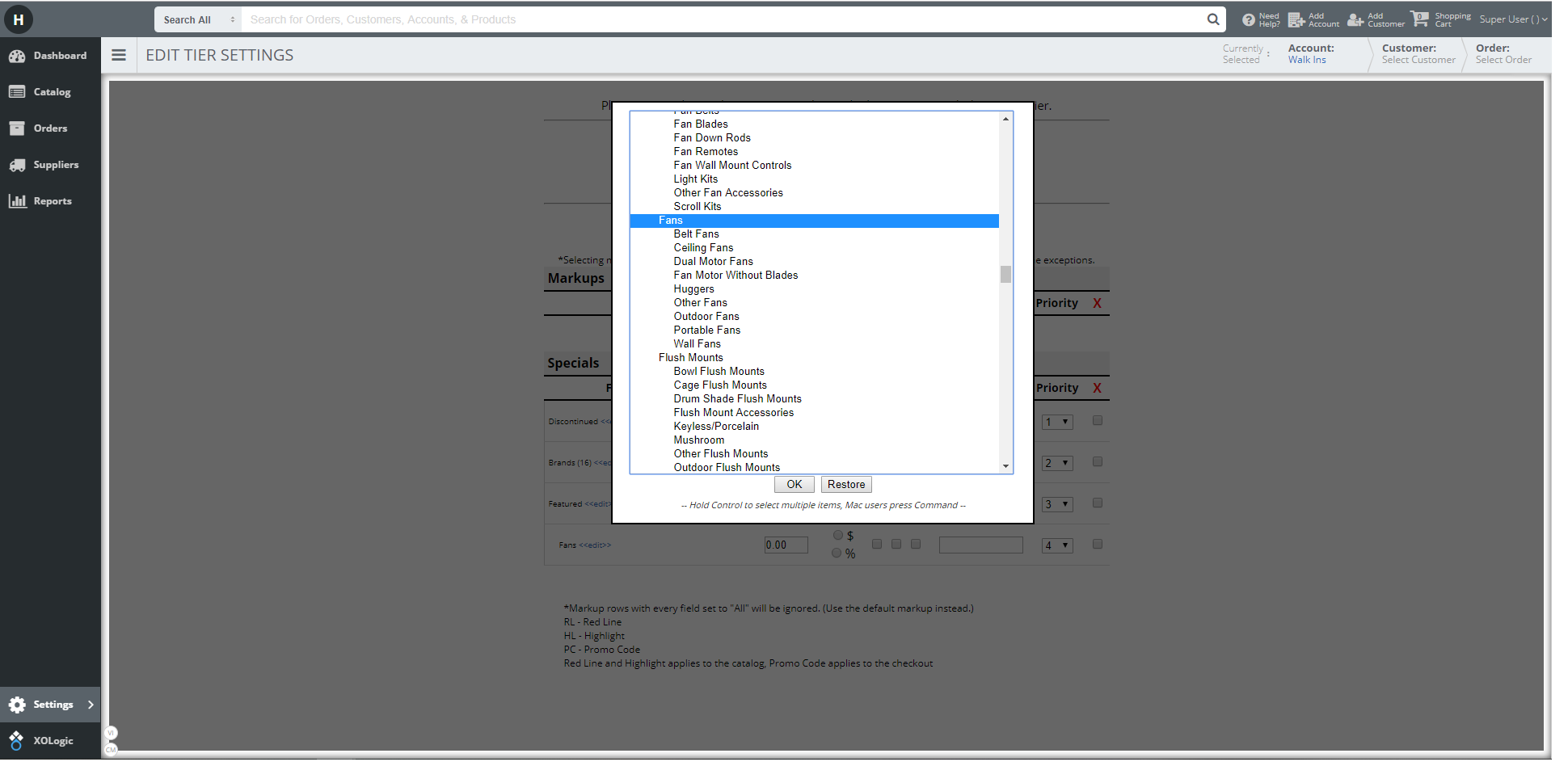
3. Highlight the main category 'Fans' but nothing else > This will apply to all items that have the category Fans and all 'Fans' Sub-Categories beneath it.
Note: Highlight the Category and all Sub-Categories may slow down the time it takes to load a page. Always simplify your selection as much as possible.
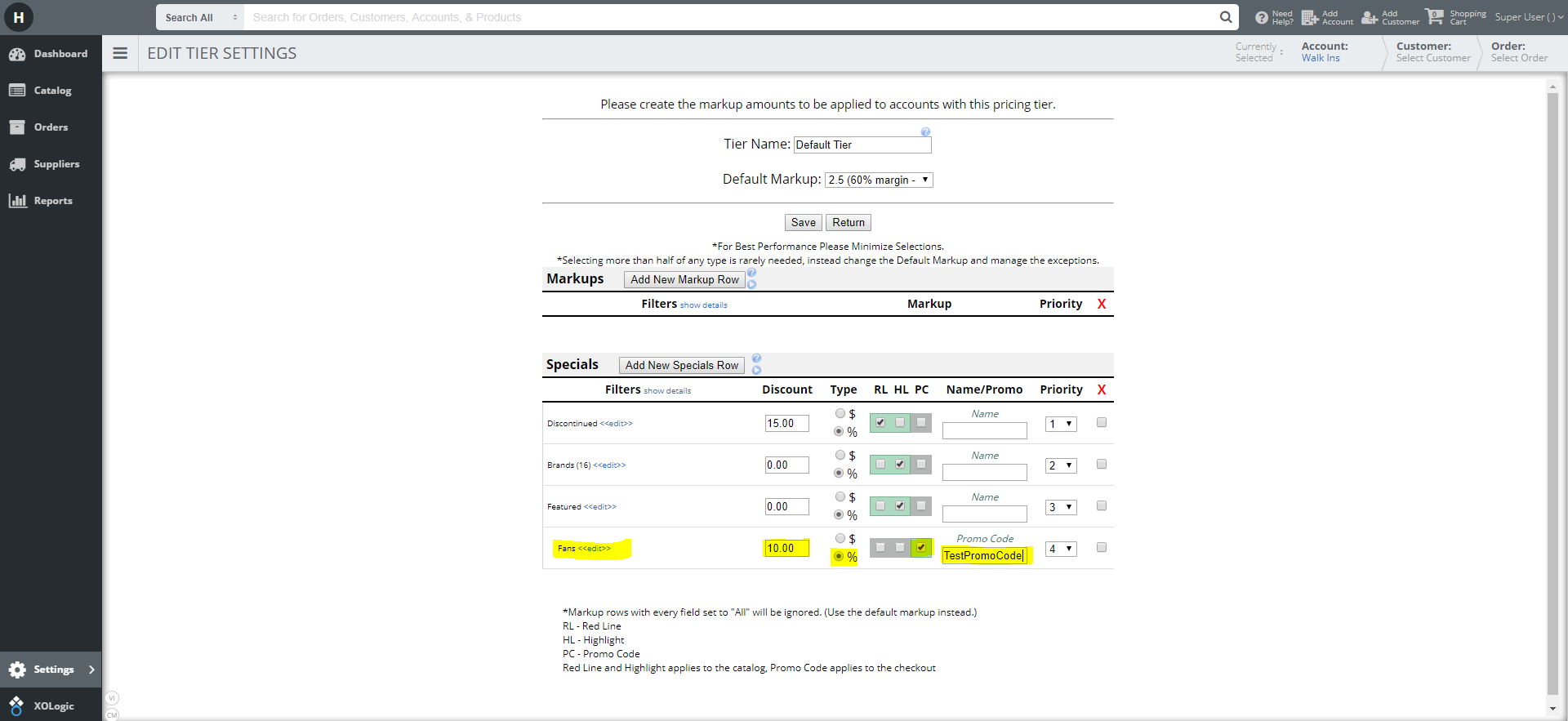
4. Enter the Discount Amount > Select Percent Bubble > Check the PC box for Promo Code > Enter in the Promo Code Name > Save Changes
Comments
0 comments
Please sign in to leave a comment.