
Question: Why am I not seeing the changes made to my site?
Answer: Browsers try to do their part to speed up the loading process when you visit a website. The first time you visit a site, the browser will save pieces of the site, because the browser can display the files stored in its cache much faster than it can pull fresh files from a server. The next time you visit that site, the cached files will help cut down the page load time.
When changes or updates are made to a site that your browser has cached, it’s going to keep serving the old, cached version of the file and you won’t see our most recent changes. Over time this could cause issues with logging in or bringing up the websites, or you may not be seeing the changes that were made.
Clearing your cache and cookies on a regular basis will help clear up any issues that are caused by caching.
The drawback to this is that your saved usernames and passwords may be deleted and you’ll need to re-enter them. But on the plus side, your privacy is more secure and your browser will work better.
Please follow the instructions below to clear your cache and cookies on a PC:
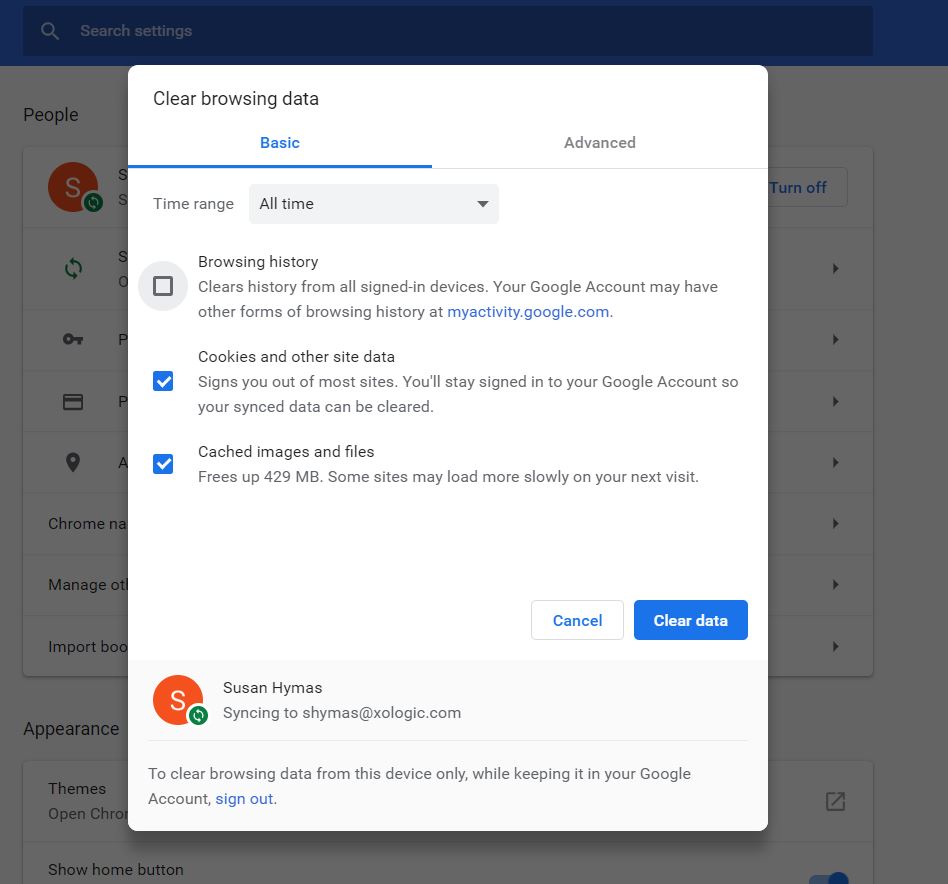
1. Press Ctrl + Shift + Delete. You should then have a pop-up on your screen that looks like this:
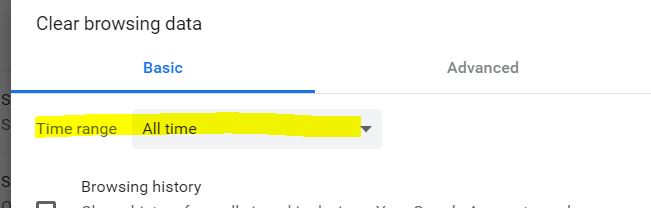
2. Make sure the 'Time Range' is set to 'All Time':
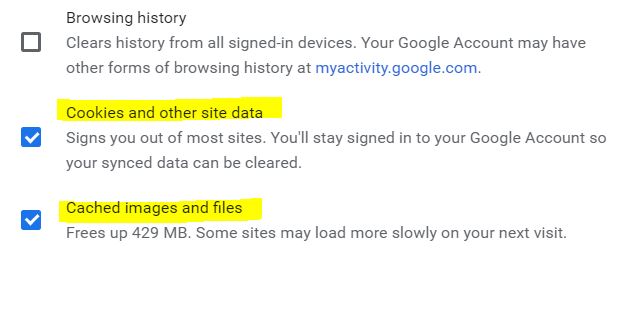
3. Select 'Cookies and other site data' and 'Cached images and files':
(Note: You can choose 'Browsing history' if you would like, but it's not necessary)
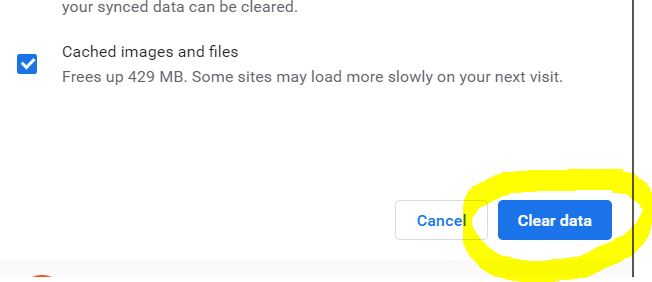
4. Click 'Clear data':
5. After this has completed you will want to close ALL browser windows and then re-launch the site.
Comments
0 comments
Please sign in to leave a comment.