
Opening a csv file in UTF-8 format will help remove encoding issues that can occur when simply opening a CSV file.
To open a CSV file in UTF-8 format follow these steps.
1. Download the CSV file to your file explorer but do not open it.
2. Open a blank work book excel file.
3. Click on Data, then click "From Text/CSV"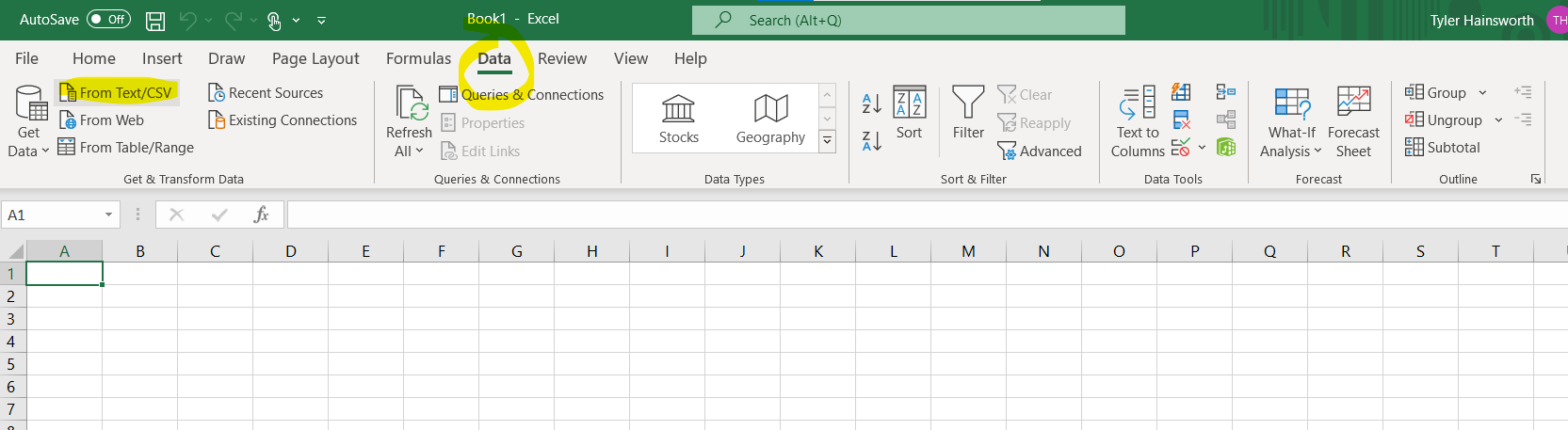
4. In your file explorer select the file you choose to open and click "Import"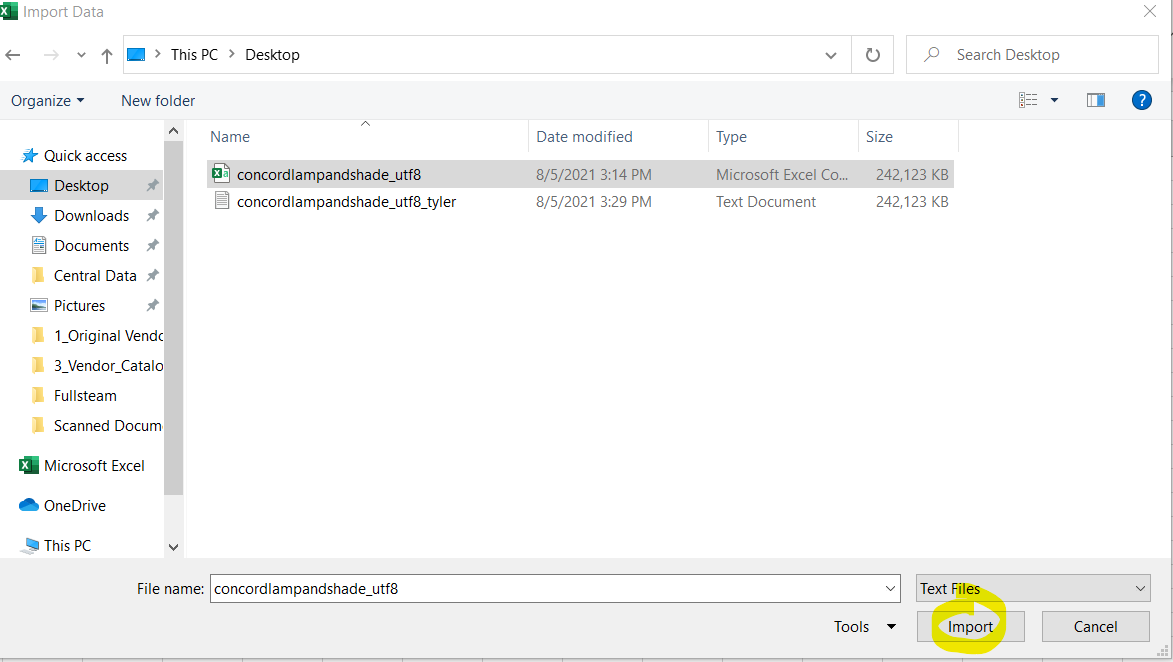
5. In the File Origin select 65001: Unicode (UTF-8).
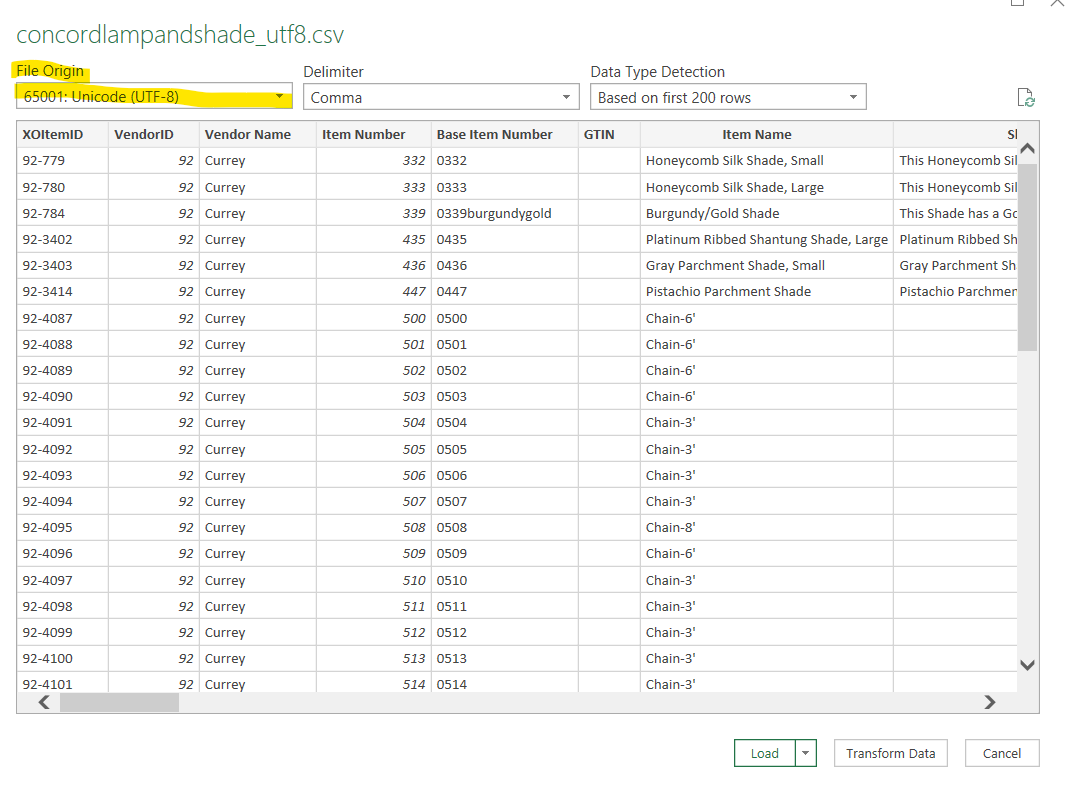
6. You can either click on Transform Data to do additional changes to your data, or just click on load. Once you click load it will import your file into Excel but in UTF-8 format.
Comments
1 comment
excellent instruction for compiling simple tables and databases, we often train beginners in our office and we would like more such useful information. Thank you even for this article
Please sign in to leave a comment.