
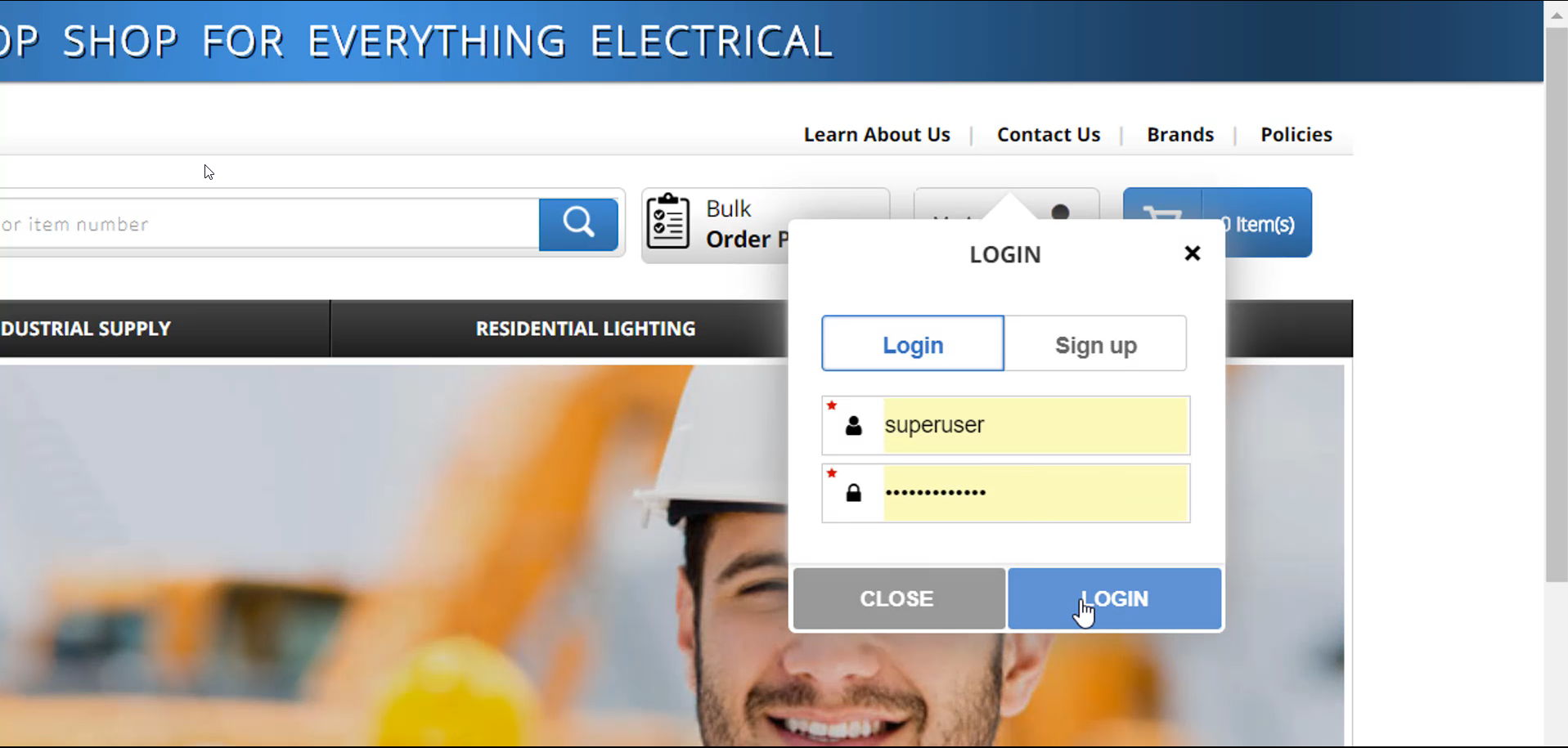
1 - To add a contact in an account, log in with your username and password.
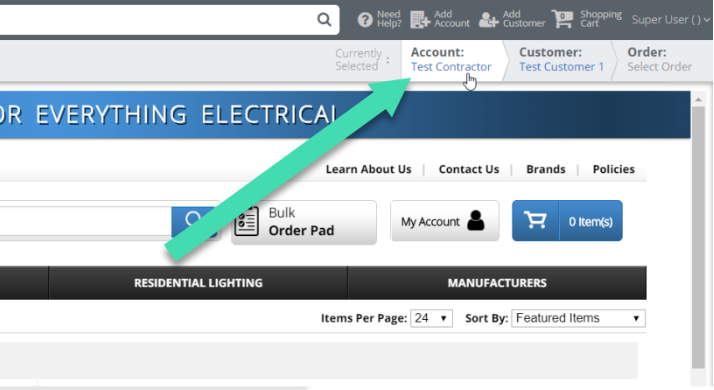
2 – In the upper right-hand corner, click on “Account”.
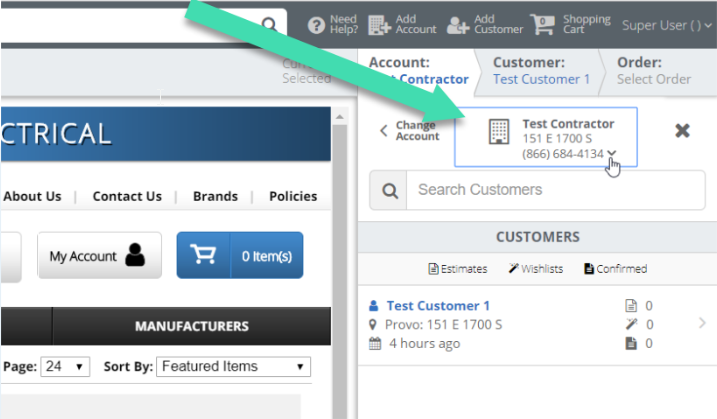
3 - Click on the name of the account. If you are looking for a different account than the one visible, click “Change Account” and find it using the search bar.
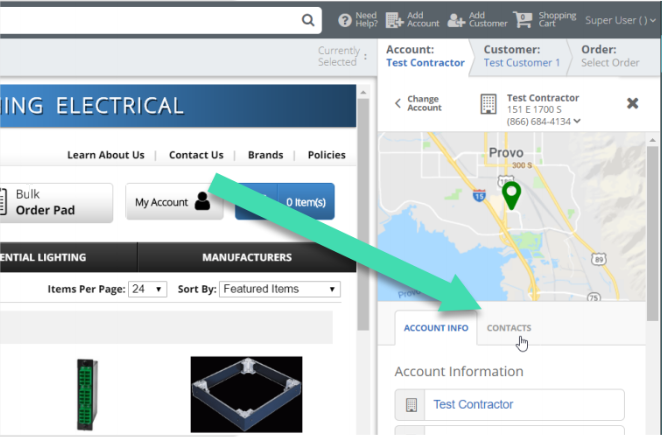
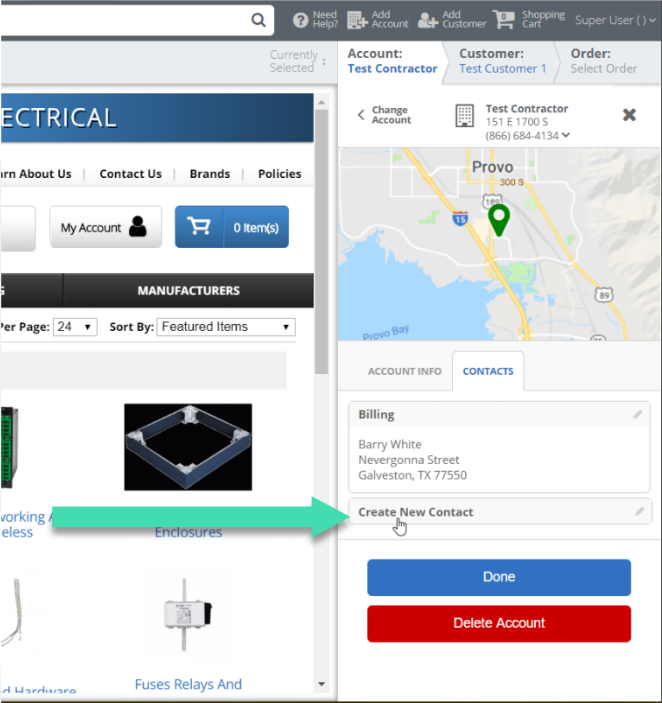
4 – Click on “contacts”.
5 – Click on “Create New Contact”
6 – Enter contact information. To save, click “Done”.
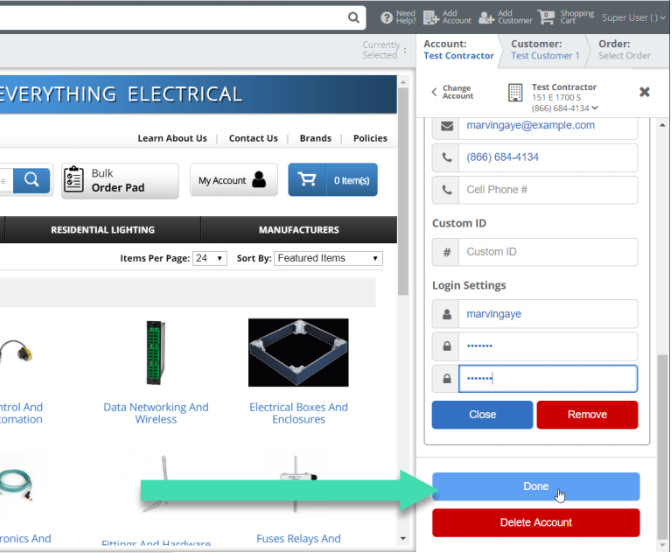
*Note the Custom ID Field in the contacts portion of this site does not work.
Thanks! If you have any questions, please contact Customer Support at 866-684-4134.
Comments
0 comments
Please sign in to leave a comment.