
In Eclipse, you have two tiers of customers, “Bill-to” and “Ship-to”. In XOLogic, these tiers are called “Account” and “Customer”, respectively.
Bill-to = Account
Ship-to = Customer
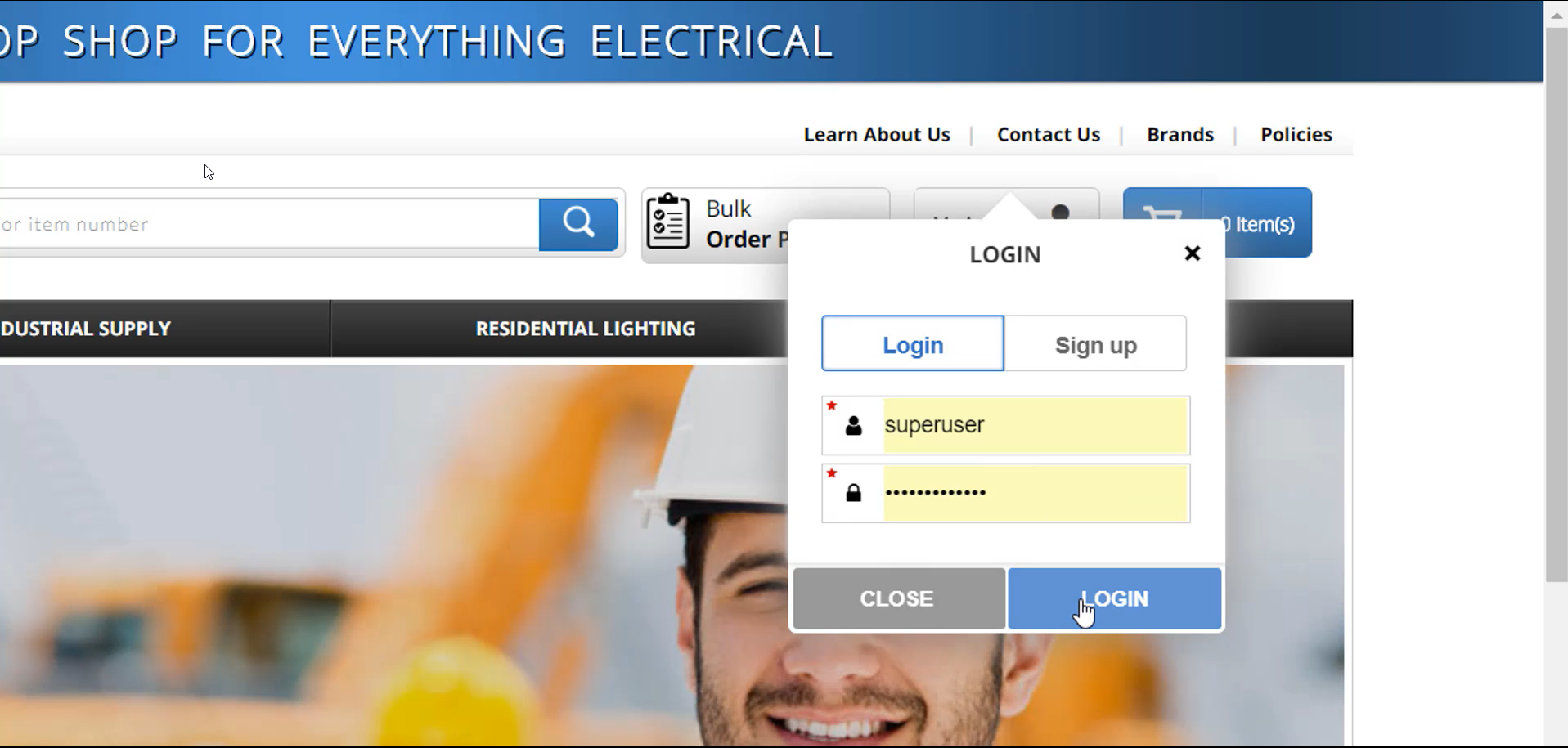
1 - Log in with your administrator or sales rep username and password.
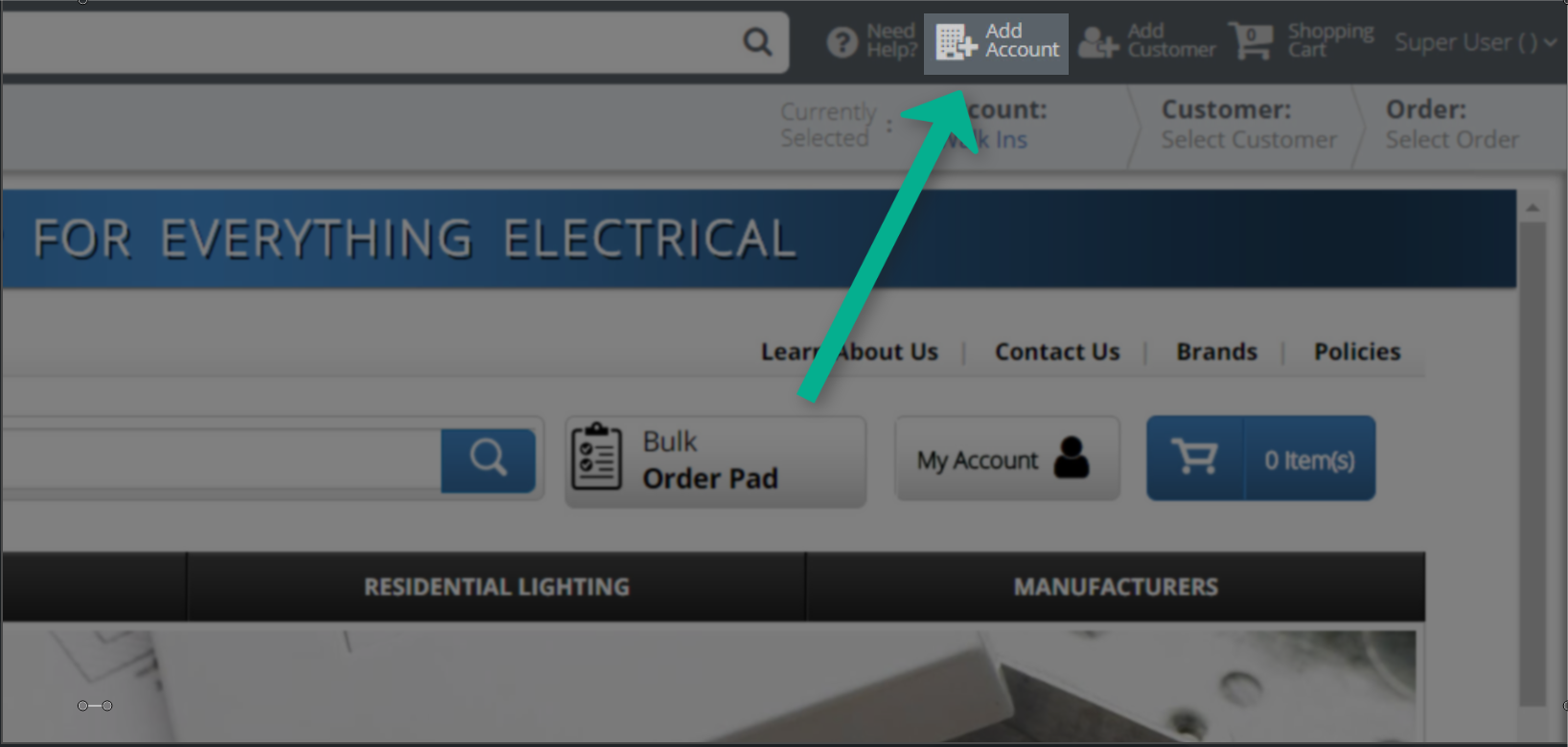
2 - Once logged in, click on "Add Account" in the upper right-hand corner.
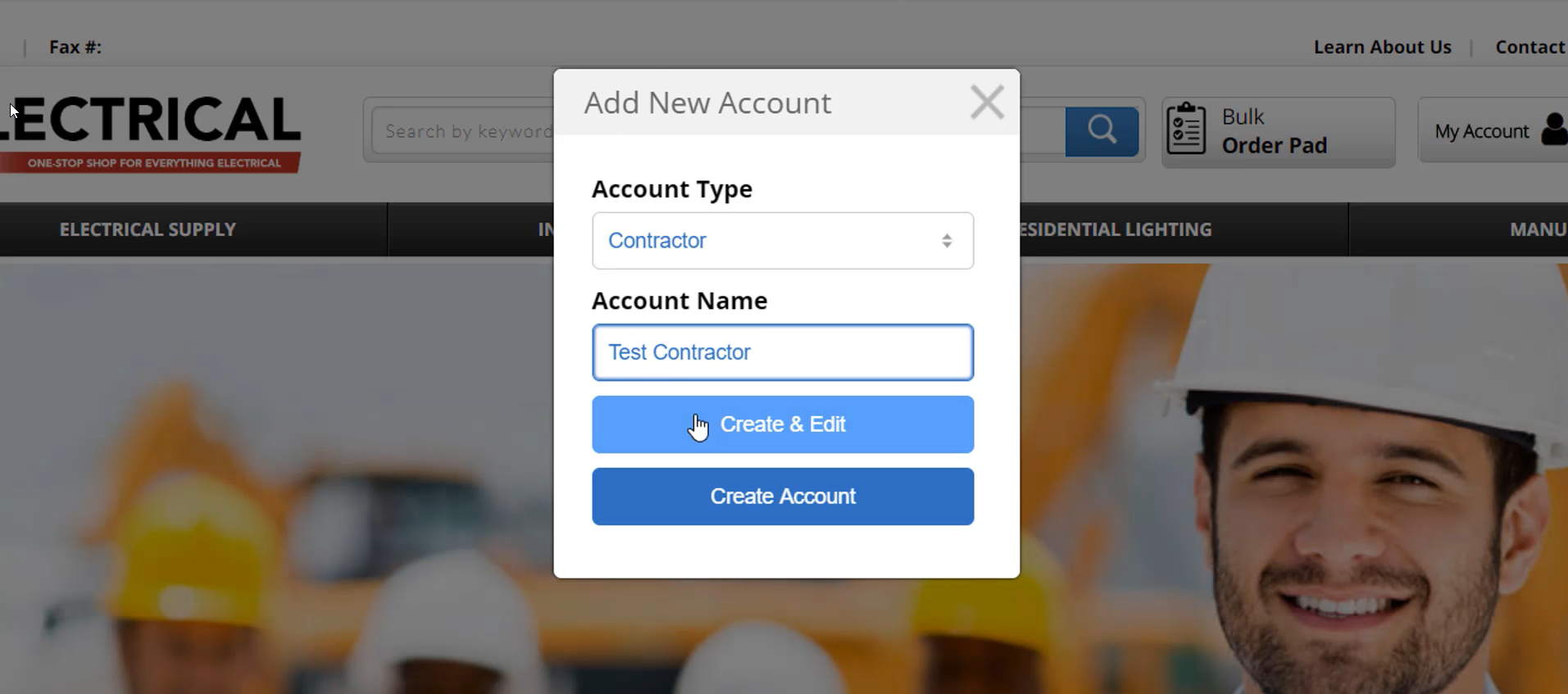
3 - Choose your account type, and enter the account name. Click on "Create & Edit"
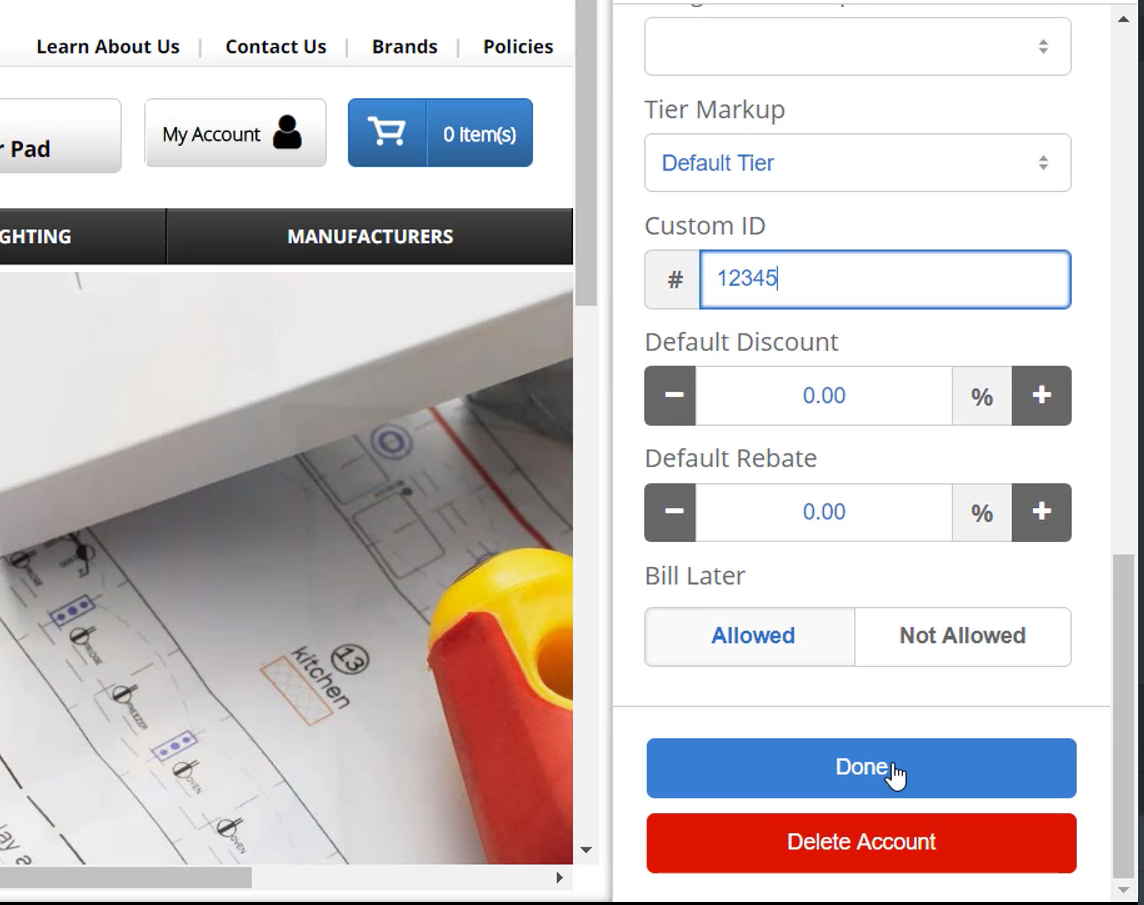
4 - A sidebar will open on the right-hand side, displaying account information, which you can scroll through. If the account already exists in Eclipse, the only information that you need to enter is the custom ID, which will be their Eclipse ID.
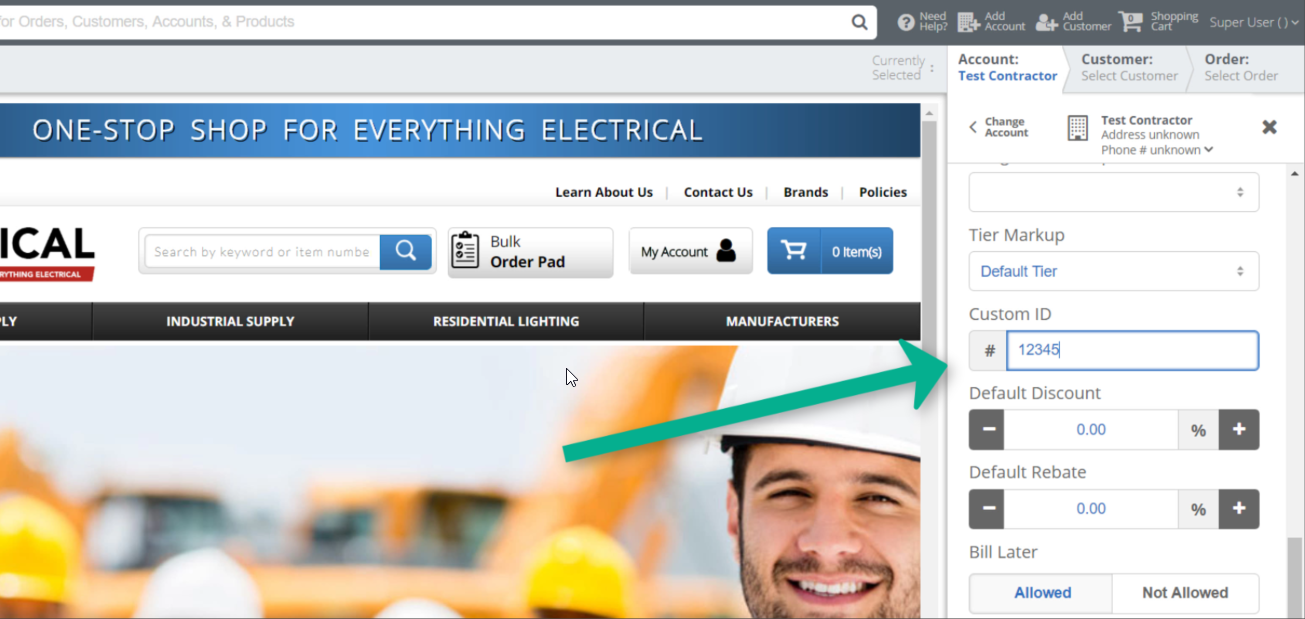
5 - Once you enter in the custom ID, click done. Give the page a couple of seconds to refresh and all of the account information will auto-populate from Eclipse.
6 - If you add a "Bill-To Account” using an Eclipse Customer ID, all of its “Ship-To Customers” will be automatically imported.
Thanks! If you have any questions, please contact Customer Support at 866-684-4134.
Comments
0 comments
Please sign in to leave a comment.